
Danger Details
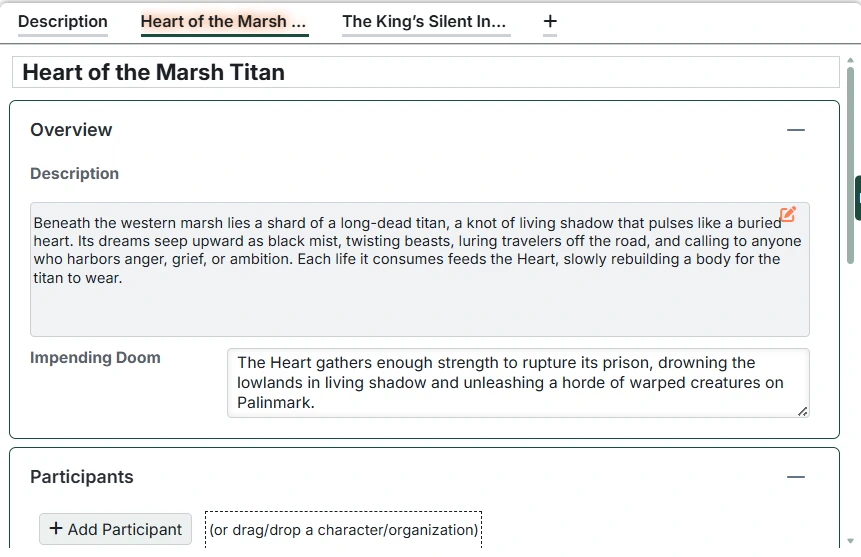
Each Front is made up of one or more Dangers. A Danger is a specific threat, plotline, or situation that can move toward an Impending Doom as time passes and the characters act (or fail to act).
Creating a New Danger
To add a new Danger to a Front:
- Open the Front in the main content area.
- Click the
+button on the Front's tab strip. - A new Danger is created and a tab for it appears.
Deleting a Danger
To delete a Danger from a Front:
- Right-click on the Danger's tab.
- Select "Delete danger" from the context menu.
Danger Name
Click on the Danger’s name to edit it.
Danger Sections
Each Danger includes the following sections:
- Overview
- Participants
- Motivation
- Grim Portents
Each of these panels can be collapsed with the '-' button in the top right corner.
Overview
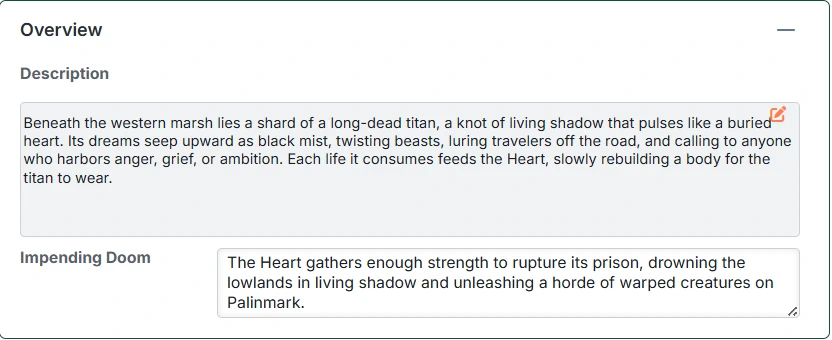
The Overview panel lets you record the description for the Danger, as well as the Impending Doom.
Participants
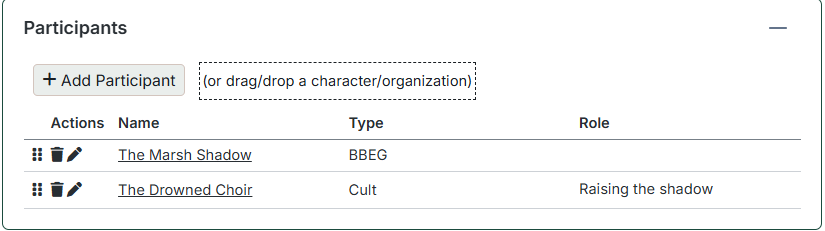
Participants represent the people and organizations involved in a Danger. They answer the question: "Who is driving or affected by this threat?"
This panel has a table listing the Entries (Characters or Organizations) involved in the Danger, along with their role.
You can add participants by dragging and dropping them from the Setting Directory or by clicking the 'Add Participant' button.
Generally there will be one main Participant and their henchmen. If Participants are on different 'sides', working toward the Front in different ways, each side should be a separate Danger.
Motivation
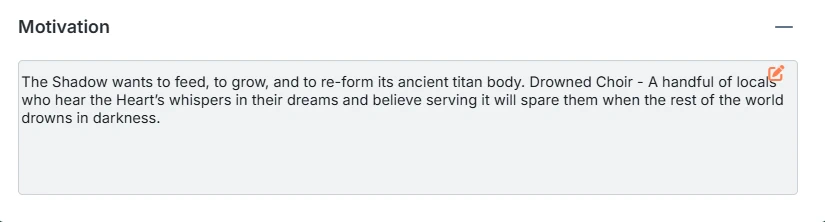 Record the motivation for the Danger and/or the various participants.
Grim Portents
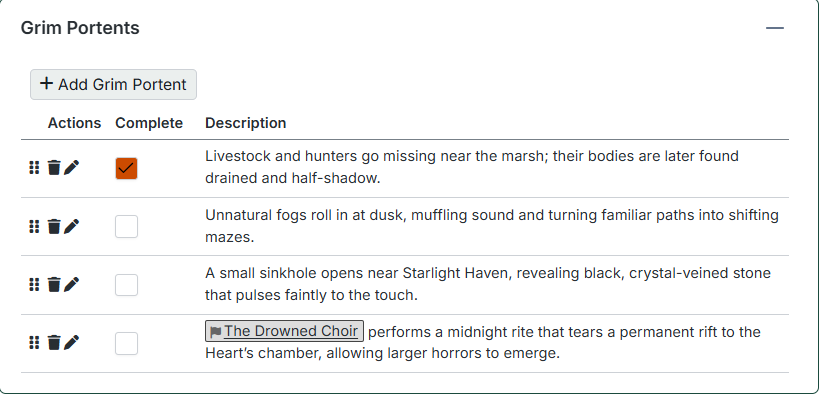 Grim portents are the steps that move a Danger toward its Impending Doom. They make it easy to see what happens if the characters ignore (or worsen) the situation.
Think of grim portents as a short, ordered list of events:
- The Danger advances in some visible way.
- The world reacts.
- The threat gets closer to its goal.
As you play, you can check off grim portents as they occur, reflecting how the Front is progressing.
You can drag rows up and down to change the order in which the grim portents appear.
TIP
Front description, motivation and the Grim Portent table support Related Entry Tracking. When you add or remove references to Characters or Organizations in any of these, you'll be prompted to add or remove them from the Participants table.