Arc Ideas Tab
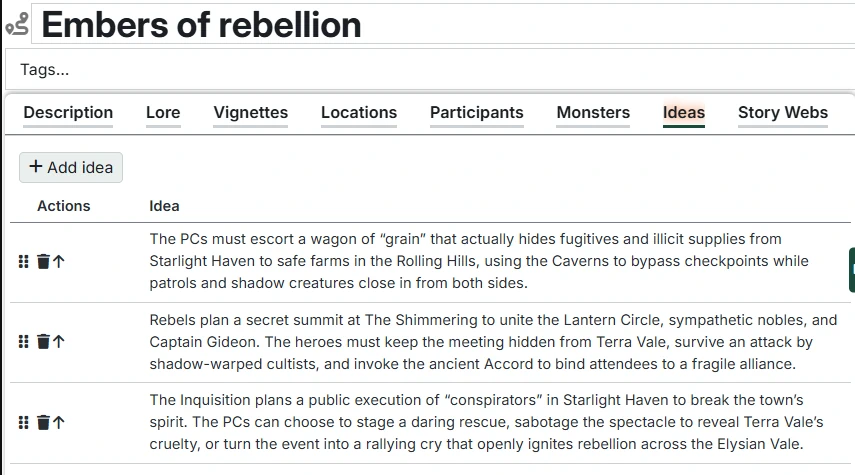
The Ideas tab provides a simple way to capture and organize ideas for your campaign as they come to you. Perfect for plot hooks you want to explore later, NPCs or locations you want to develop, story complications or twists, player suggestions or interests, and anything else you'd otherwise keep in your email inbox, scraps of paper, or your beautifully illustrated notebook, depending on your organization style.
Managing Ideas
- Click "Add idea" to create a new idea entry
- Click on any idea text (or the edit button) to edit it inline; hit enter to save.
- Delete ideas when they're no longer relevant or have been used
- Re-order ideas by dragging the handle on the left side of each row to move rows up and down.
Idea actions
The actions column lets you:
- Delete – Delete the Idea.
- Edit – Open the Idea text for inline editing. You can also click on the description text to do the same. Press Enter to save or Escape to cancel. Shift-Enter within the text box to insert a new line.
- Move to campaign – Moves the idea to the campaign ideas list.
Related Entry Tracking
This table supports Related Entry Tracking. When you add or remove references to Characters, Organizations, or Locations in idea descriptions, you'll be prompted to update the Arc's Participants and Locations tables accordingly.