Setting Timeline Tab
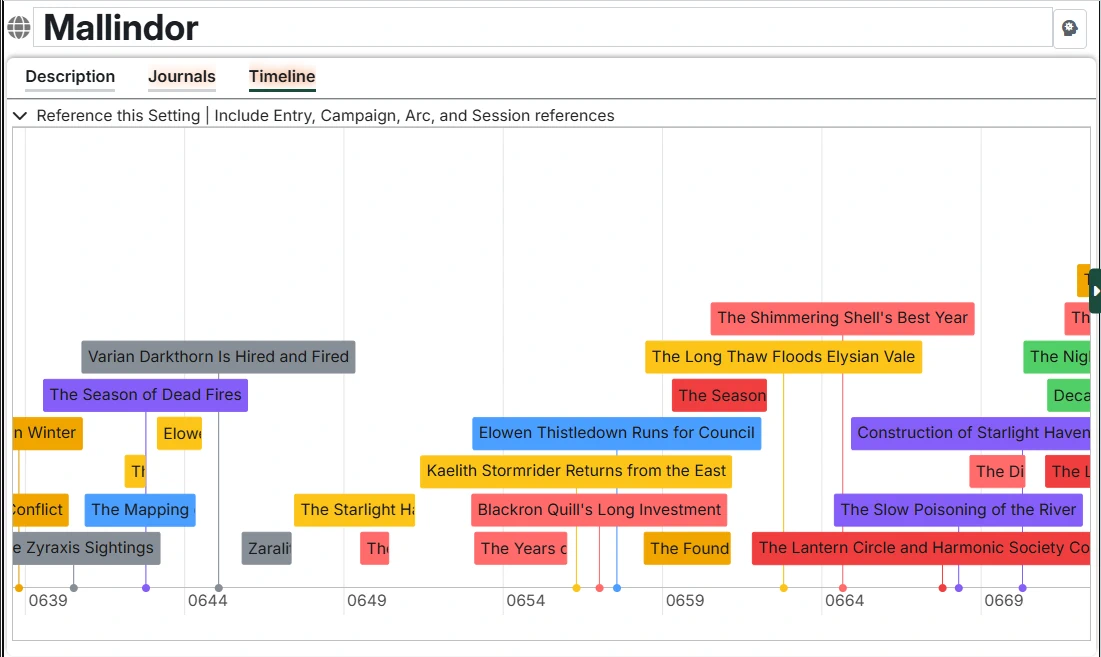
The Timeline tab shows calendar events from Calendaria across your entire Setting. This provides a world-level view of all events in your campaign world.
INFO
Timelines require the Calendaria module to be installed and active. See the main Timelines documentation for more details on this, as well as general usage of Timelines.
Setting-Level View
Unlike timelines on other content types, the Setting timeline shows events from across your entire world by default. This is useful for:
- Seeing the grand sweep of your world's history
- Understanding temporal relationships between distant events
- Planning where new events fit in your timeline
But you can set filters (including to limit it to notes that reference the Setting), as well as the viewable window to control what the timeline view for this Setting should be.
Filtering Events
Reference This Setting
By default, this option is disabled for Settings, showing all calendar events. Enable it to filter to only events that directly reference the Setting itself.
Include Nested Content
When enabled (requires "Reference This Setting" be on), the timeline shows events that reference:
- All Entries (characters, locations, organizations)
- All Campaigns in the setting
- All Arcs and Sessions across campaigns
This gives you a comprehensive view of everything connected to your setting.