
Arc Story Webs Tab
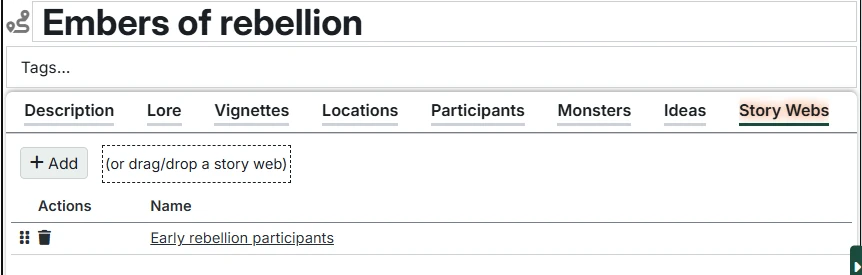
The Story Webs tab allows you to associate Story Webs with a specific Arc to make them easier to manage. The entire list of Story Webs can be found in the Story Webs folder on the Campaign in the Campaign Directory.
This tab provides:
Adding Story Webs
Click "Add Story Web" to associate a Story Web with this Arc. You will be prompted to search for an existing Story Web.
You can also drag/drop a Story Web from the Campaign Directory.
INFO
A single Story Web can be associated with any number of Arcs and/or Sessions.
The Story Web list
This list contains the selected Story Webs.
Click the name of a Story Web to open it. Hold Control to open in a new tab, Alt to open in a different panel.
Moveable
You can reorder the story web list by dragging the handle on the left side of each row to move rows up and down.
Story Web Actions
The actions column lets you manage the Story Web entries:
- Delete - Delete the Story Web. This removes it from the Arc list, but DOES NOT delete the Story Web itself - it remains in the Campaign Directory for future use.